
Planner Management
The Planner is an internal-only scheduling tool designed for events that do not require guest interaction but consume the administrator's time.
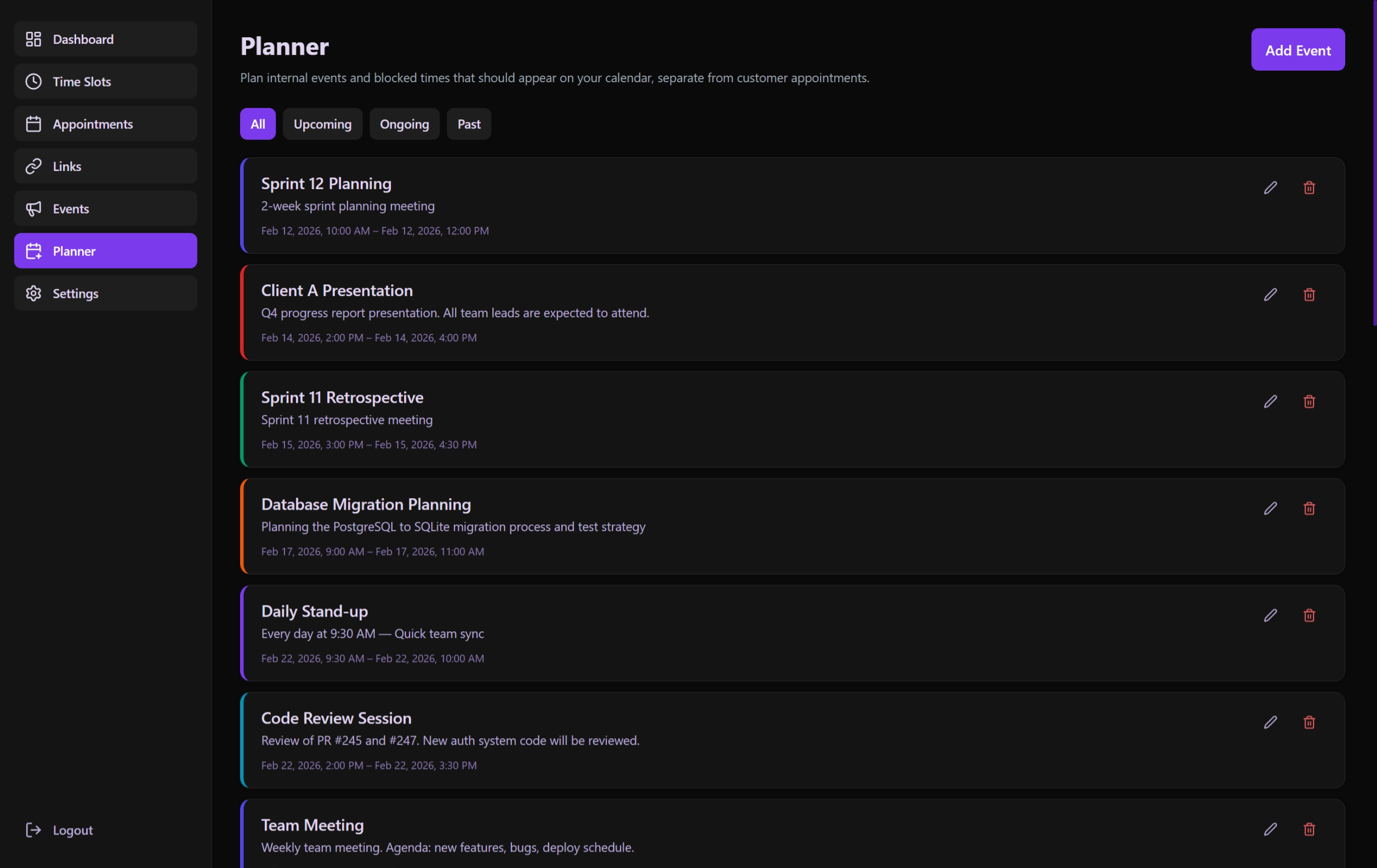 Internal tracking for non-guest events like breaks or meetings.
Planner Events vs. Appointments
- Planner Events: Created by the Admin. No guest email/link needed. Ideal for breaks, personal meetings, or travel.
- Appointments: Created by Guests via links. Contains guest contact data and link-tracking.
Discovery & Smart Filtering
The Planner features a comprehensive filtering system to manage administrative tasks efficiently:
Status Quick Filters
- All: View everything in the system.
- Upcoming: Events focused on the future.
- Ongoing: Real-time tracking of current activities.
- Past: Historical record processing.
Advanced Search & Tools
- Deep Search: Filter events by title or description content.
- Date Range: Zoom into specific weeks or months using the range picker.
- Sort Persistence: Toggle newest/oldest records with the state preserved in the URL for easy navigation.
Creating & Editing Events
PlannerEventModal
- Title: Mandatory name for the event.
- Description: Optional field for detailed notes or agendas.
- Time Range: Precise start and end times.
- Validation: Prevents overlapping events if the administrator chooses to maintain a strict schedule.
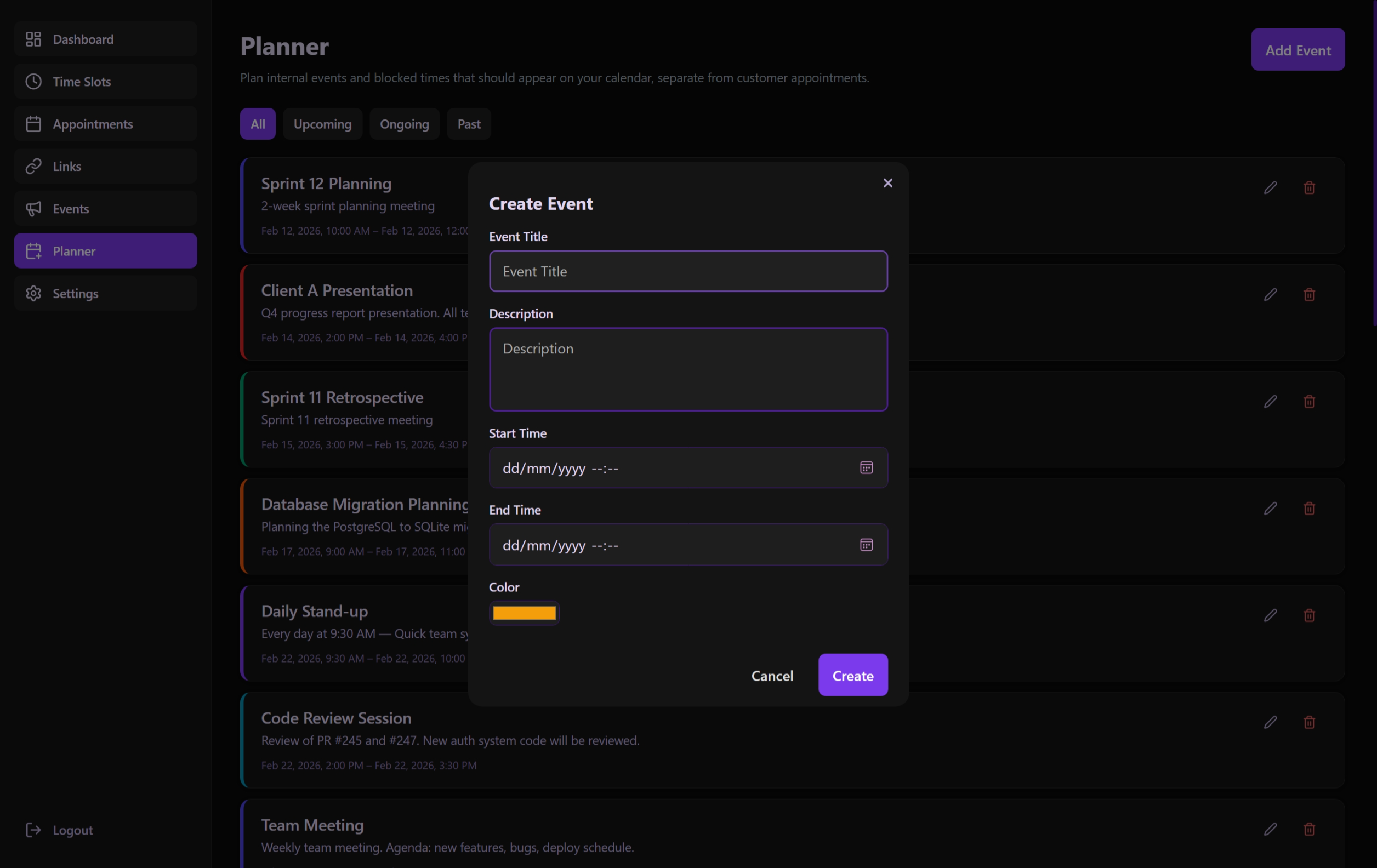 Interface for adding private administrative events to the system calendar.
PlannerEventCard
- Provides a visual summary of the event state (Ongoing events often have a distinct highlight).
- Includes quick Edit/Delete controls.
Technical Architecture
State Logic: usePlannerPage
- Hybrid Filtering: Combines real-time clock-based status filtering (
Ongoing,Past,Upcoming) with the globaluseListFiltersengine for search and date range constraints. - URL Synchronization: Ensures that as you filter your planner, your view is always bookmarkable.
- API Connectivity: Maps directly to the
/api/plannerendpoints. - Form Synchronization: Handles complex date-time object manipulations between the UI and the database-ready JSON format.
Display Logic
Utilizes baseui components to ensure the UI remains consistent with the rest of the administrative dashboard, providing a premium, native-app feel.