
The Dashboard is the command center for administrators, providing high-level metrics and a comprehensive calendar view of all scheduling activities.
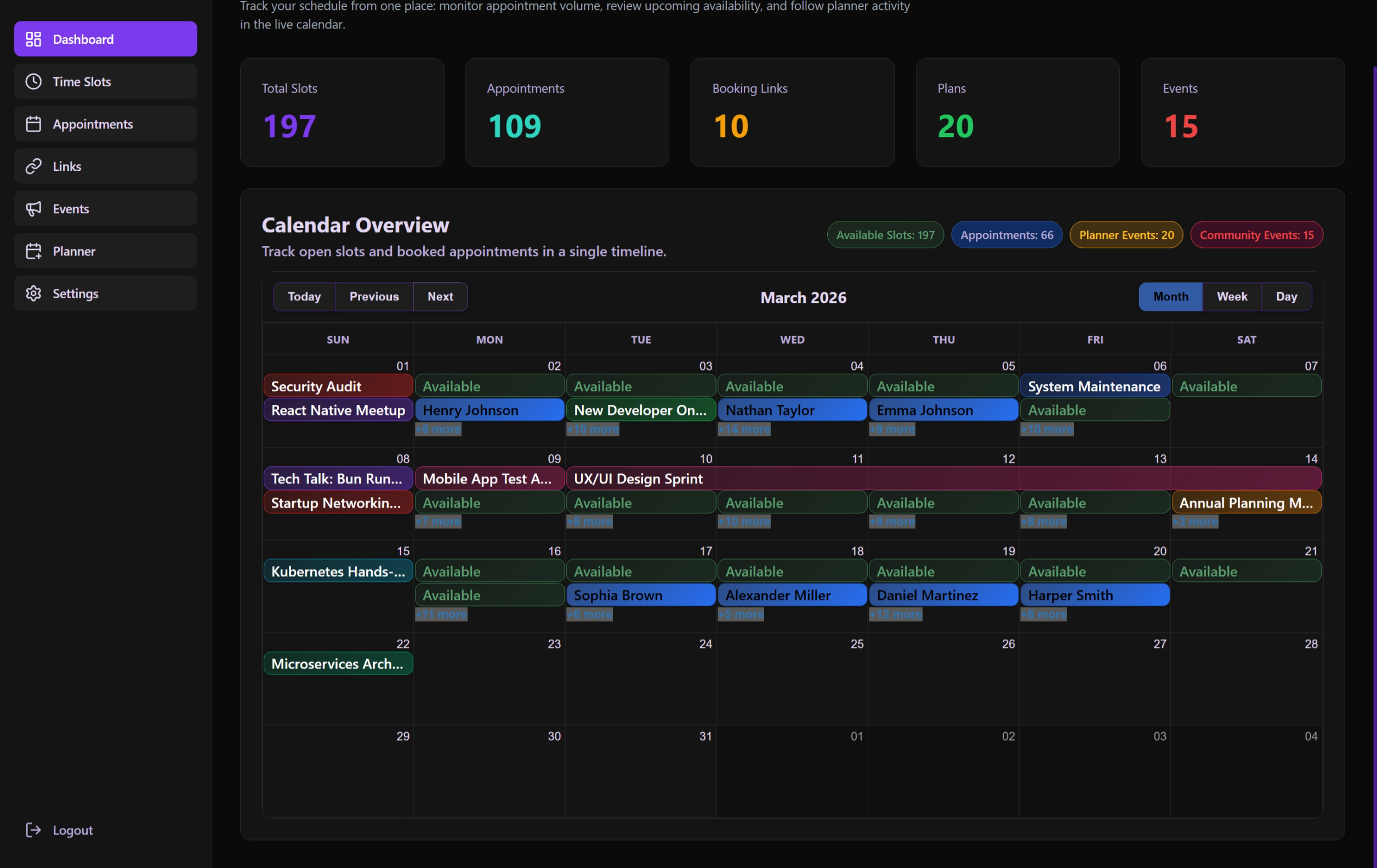 The system-wide monthly calendar providing a high-level overview of availability and events.
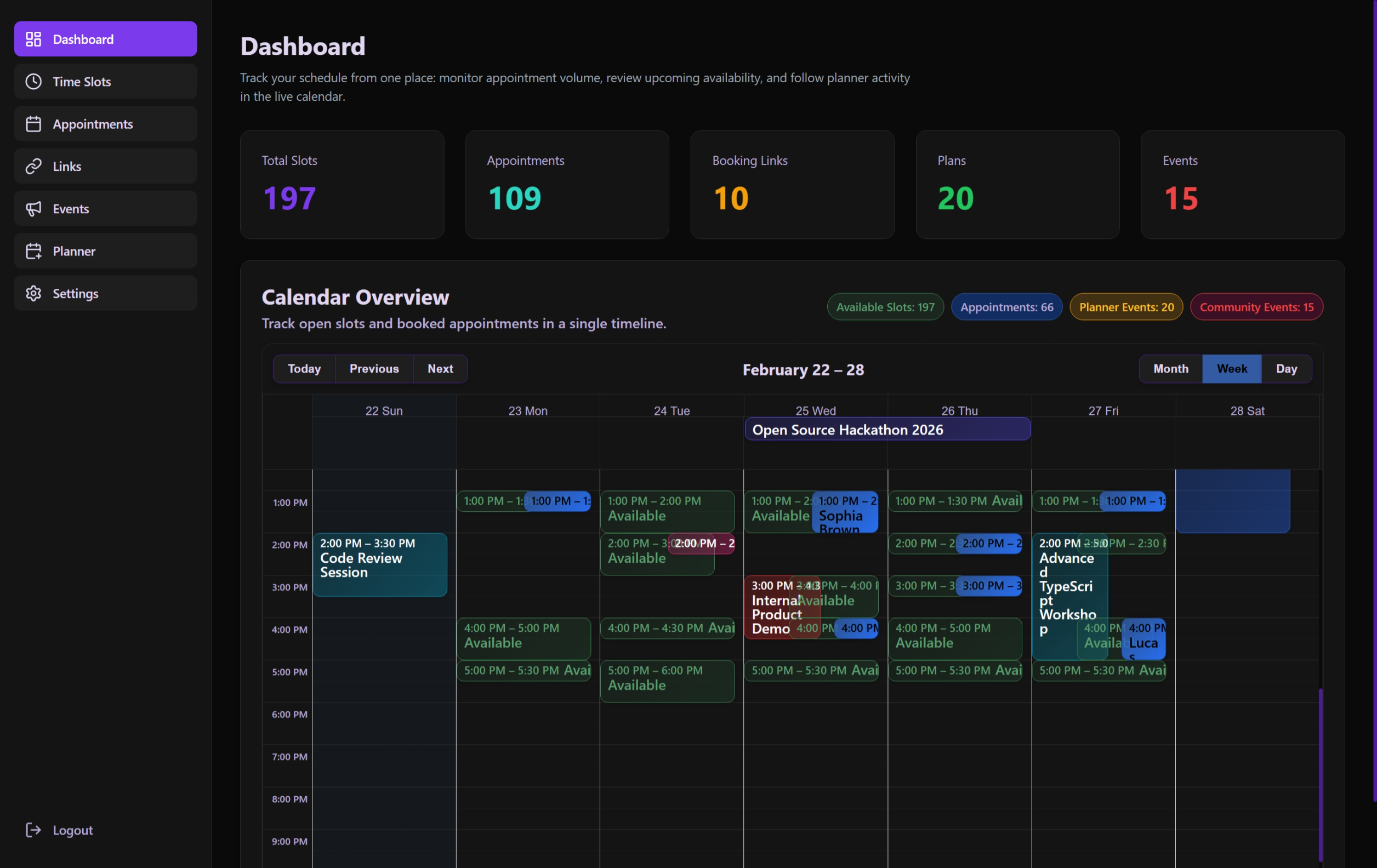 A more detailed weekly view for managing recurring patterns and density.
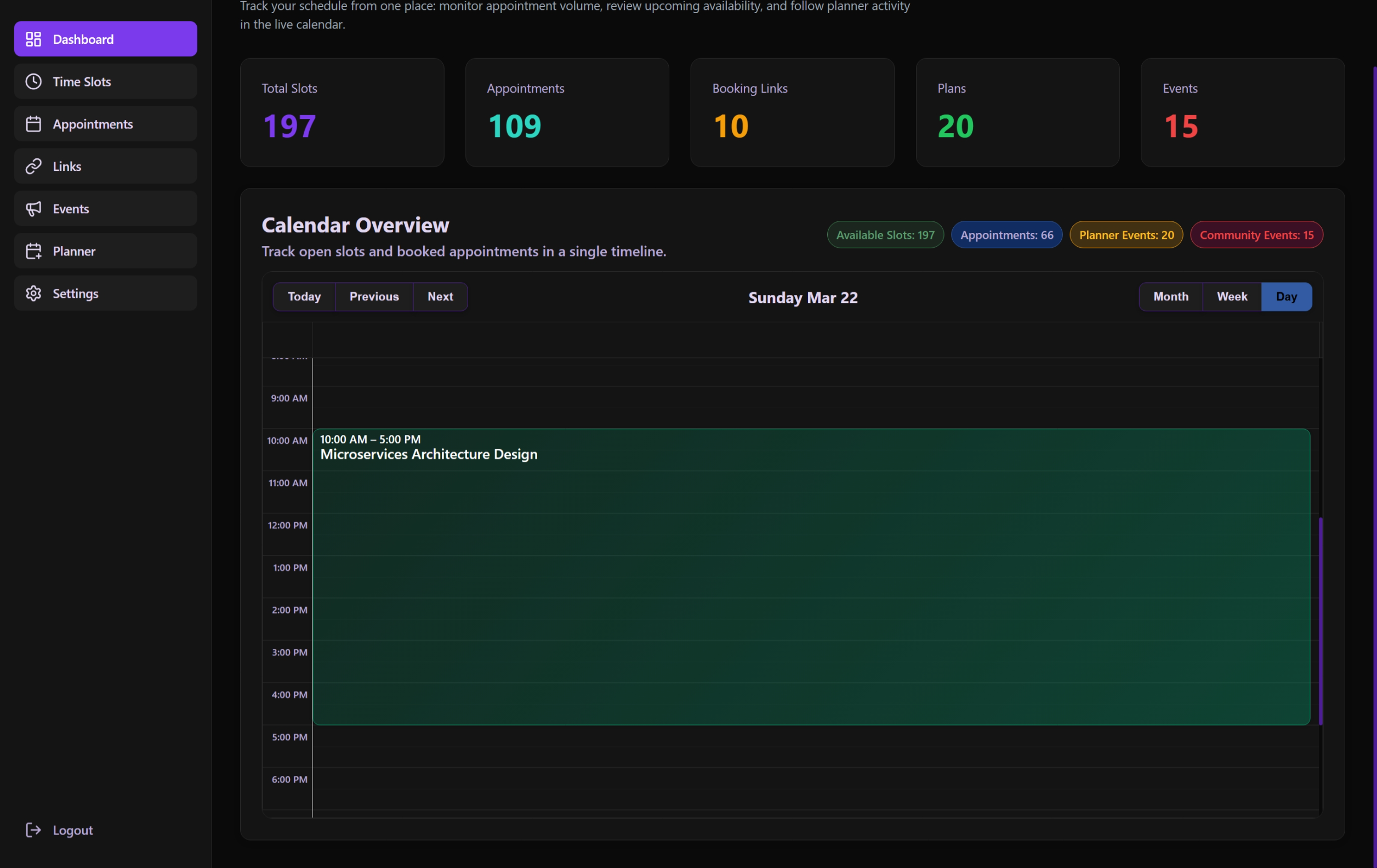 The granular daily view showing specific slot transitions and appointment details.
Overview
The Dashboard page is built as a reactive interface that combines statistical data with a rich, interactive calendar. It is designed to give an immediate "pulse" of the system the moment an administrator logs in.
Functional Components
1. Dashboard Header (DashboardHeader)
- Purpose: Sets the context of the page.
- Dynamic Content: Displays localized title and description based on the user's language settings.
- Context: Provides a clear visual anchor for the starting point of the administrative workflow.
2. Stats Cards (StatsCards)
Displays four primary metrics:
- Total Appointments: The cumulative number of bookings made.
- Active Slots: Currently available time windows for guest booking.
- Upcoming Events: Number of events starting within the next 24-48 hours.
- Pending Approvals: Community events awaiting administrative sign-off.
3. Administrative Calendar (DashboardCalendar)
The centerpiece of the dashboard, utilizing react-big-calendar:
- Unified View: Merges Slots, Appointments, Planner Events, and Community Events into a single color-coded timeline.
- Interactivity:
- Click on slots/appointments to view quick details.
- Type Filtering: Legend badges at the top are interactive. Clicking a category badge (e.g., "Available Slots", "Appointments") toggles its visibility in the calendar, allowing for a focused view.
- View switching: Month, Week, Day, and Agenda views.
- Color Coding:
- ● Slots: Green (Available)
- ● Appointments: Purple (Booked)
- ● Planner: Orange (Internal)
- ● Community: Red/Yellow/Green (Community Events)
Technical Implementation
State Management & Hooks
The page logic is encapsulated in the useDashboardPage hook:
- Data Fetching: Aggregates data from multiple API endpoints (
/api/stats,/api/slots,/api/appointments). - Reactive Polling: Optionally refreshes data to ensure the calendar is always up-to-date.
- Transformation: Converts raw database entities into the
CalendarEventformat required by the UI.
Toast Notifications
Uses baseui/toast for real-time feedback:
- Notifies the user of data fetching errors.
- Confirms successful administrative actions directly from the calendar view.