
Booking Page (Public)
This is the high-conversion landing page where external guests interact with the booking system. It is optimized for speed, clarity, and mobile responsiveness.
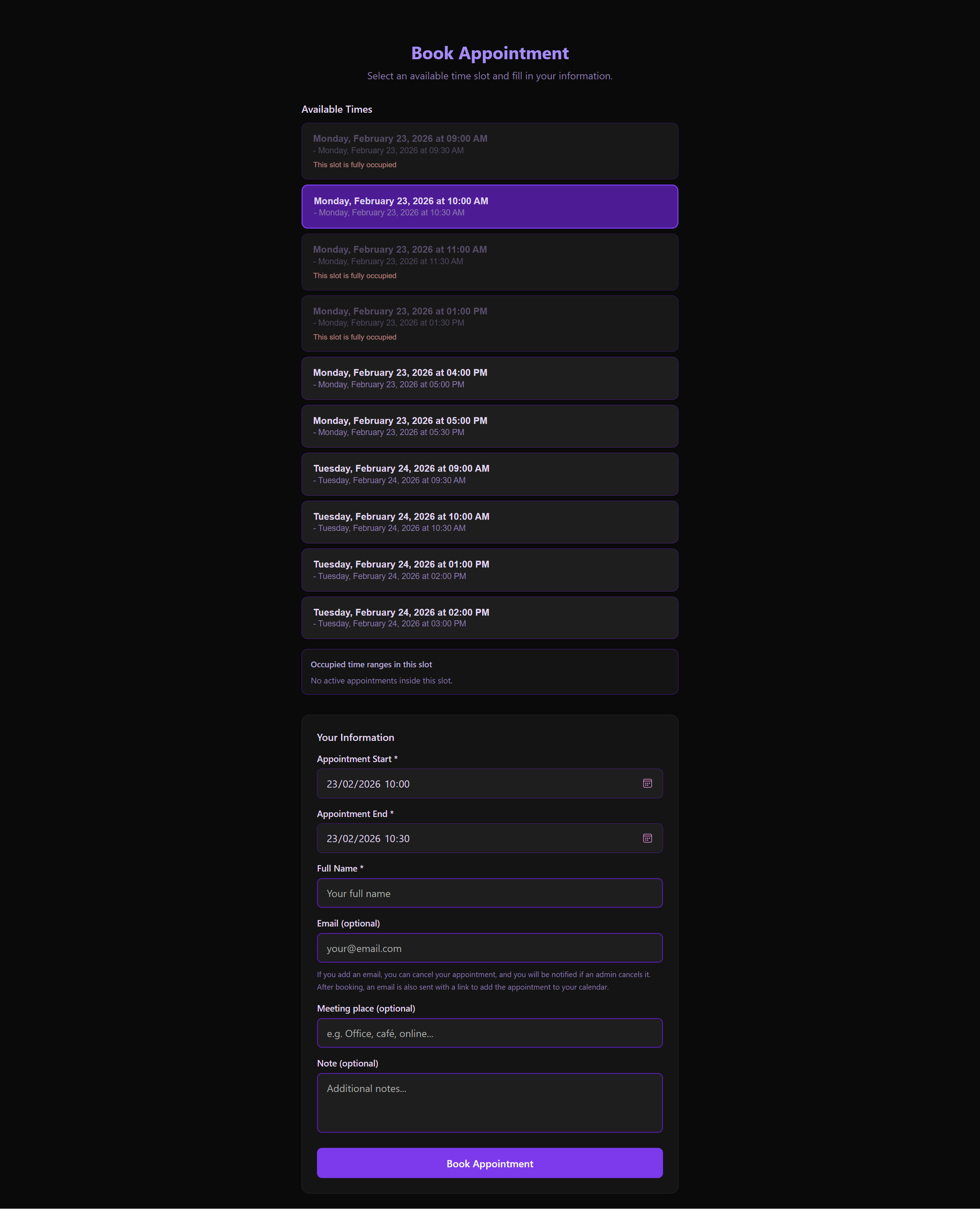 The modern, minimalist booking interface where guests select their preferred time slots.
Entry Logic & Validation
The page is driven by a slugId parameter in the URL:
- Fetching Configuration: The system queries the backend to find the specific "Link" associated with the slug.
- Availability Check: Only slots linked to this specific URL are displayed.
- Validation States:
- Loading: A sleek skeleton screen informs the user data is being fetched.
- Invalid/Expired: If the link is deleted or past its expiry date, a refined "Invalid State" component is shown.
The Booking Workflow
Phase 1: Slot Selection (BookingSlotsSection)
- Date Picker: An intuitive calendar subset showing only days with available slots.
- Interval Mapping: When a slot is selected, the system calculates and displays "busy" intervals to prevent overbooking.
- Time Selection: Guests pick a specific start and end time within the administrator's defined slot.
Phase 2: Guest Information (BookingFormSection)
- Identity: Name and Email (Validated for format).
- Note: If the booking link requires Admin Approval, an email address is mandatory for communication.
- Logistics: Meeting Place (Physical or Virtual).
- Communication: A "Note" field for special requests or context.
Phase 3: Confirmation & Tokenization
Upon successful submission:
- The API creates a new
Appointmentrecord. - If Approval is NOT Required:
- Status is
approved. - Guest receives a "Success" message and is redirected to their Appointment Detail page.
- Confirmation email with
.icsis sent immediately.
- Status is
- If Approval IS Required:
- Status is
pending. - Guest receives a "Request Sent" notification.
- Admin is notified (Email/Push) that a new booking is awaiting review.
- The slot is temporarily held until the Admin approves or rejects.
- Status is
- A unique
createdAppointmentTokenis generated. - Guest is redirected to the Private Detail page for their current state info.
Technical Details
useBookingPage Hook Logic
- Slug Verification: Executes
api.getLink(slugId). - Slot Fetching: Pulls associated slots and their existing appointment density.
- Form State: Manages controlled inputs and submission loading states.
UX Features
- Responsive Layout: Adapts perfectly from desktop to narrow mobile screens.
- Toast Feedback: Errors (like "Slot already taken") are handled gracefully with Toast messages.
- Localization: Every label, placeholder, and date format automatically matches the user's browser language.