
Booking Links Management
Booking Links are the "Products" of your availability. This page allows administrators to bundle specific time slots into shareable, expiring URLs.
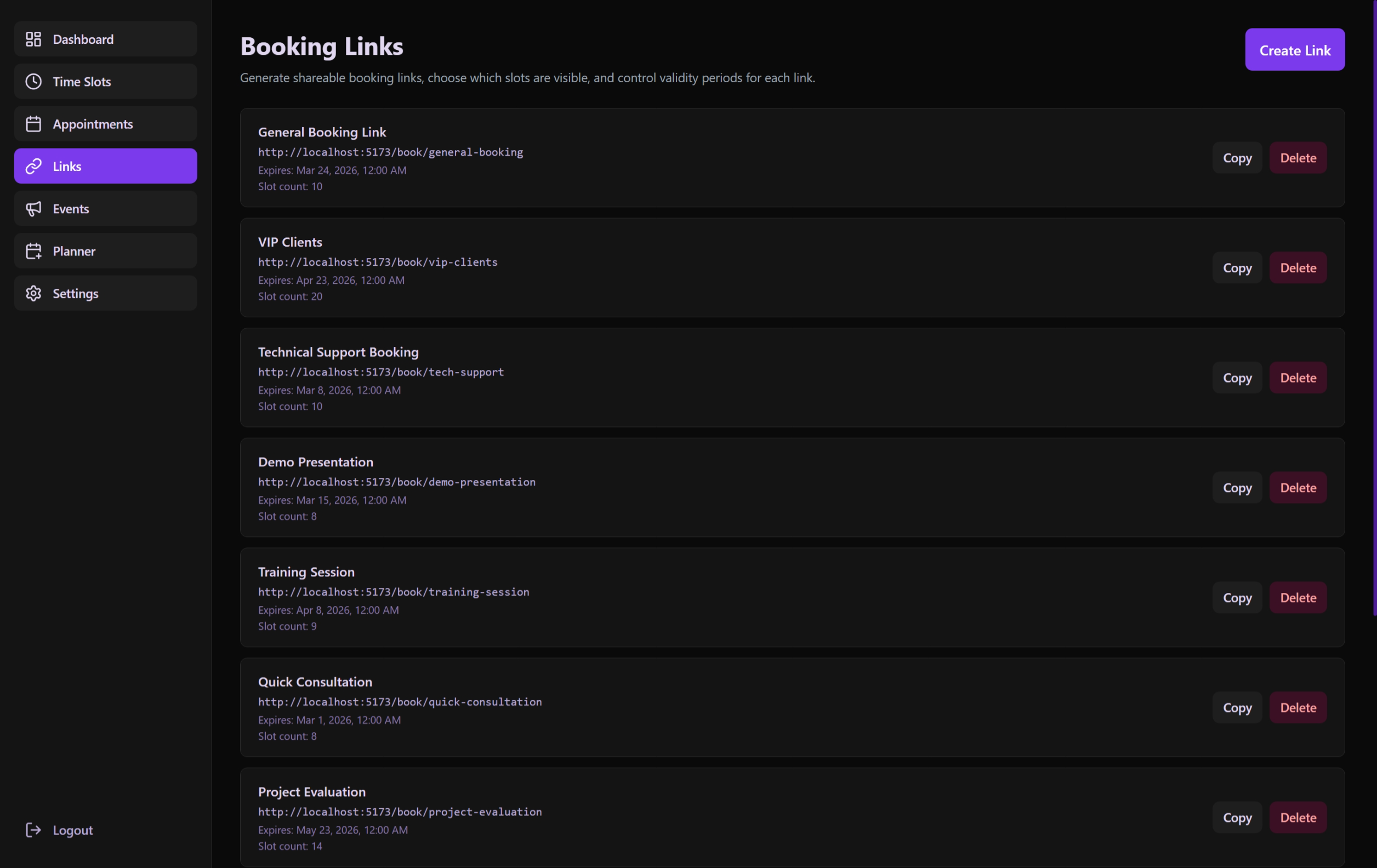 A consolidated dashboard for managing the lifecycle and associations of booking links.
Features & Configuration
Link Creation (CreateLinkModal)
- Name: Internal identifier for the link (e.g., "Technical Interview - Samet").
- Expiration: Set a lifespan in days. Once expired, the link automatically becomes invalid.
- Slot Association: A multi-select interface to pick exactly which Availability Slots are accessible through this link.
- Requires Admin Approval: If enabled, every booking created through this link will start with a
pendingstatus instead ofapproved. The guest is notified that the request has been sent for review. - Editing Existing Links: Admins can revisit any link to update its name, expiration, or modify the set of associated slots at any time.
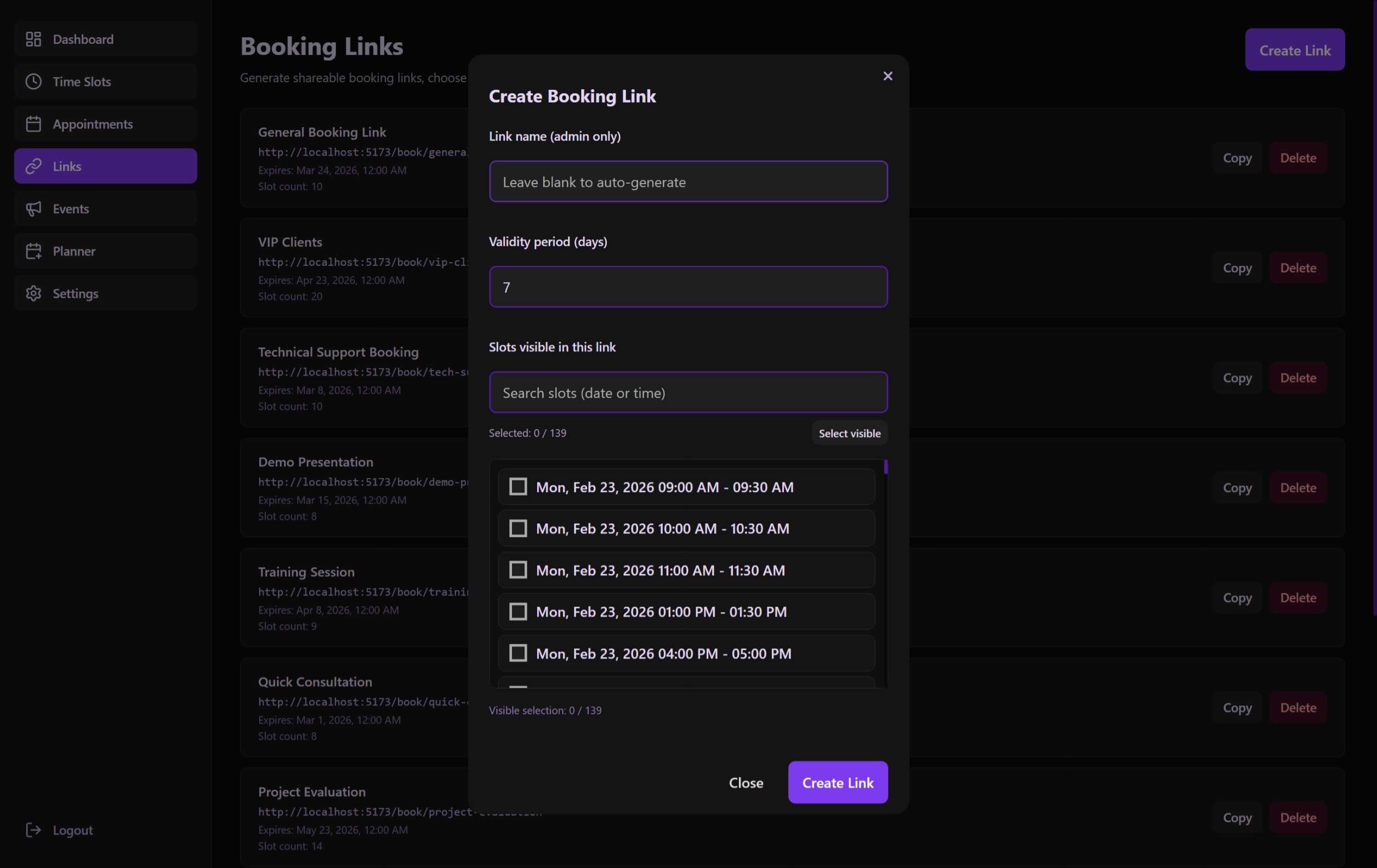 Defining link parameters, including accessibility slots and the Optional Admin Approval layer.
Link Lifecycle
- Active: Currently usable by guests.
- Expired: Reached its day-limit or manually deactivated.
- Draft/Future: Linked to slots that haven't started yet.
User Interface Actions
| Action | Description | Component |
|---|---|---|
| Copy URL | Copies the full public booking URL to the clipboard. | LinksListSection |
| Edit | Modifies the link name or slot associations via the Edit modal. | LinksListSection |
| Delete | Removes the link and invalidates the URL immediately. | LinksListSection |
| Reset Form | Clears the modal environment for new creation or fresh link-building. | LinksHeader |
Technical Implementation
The Core Logic: useLinksPage
- Dynamic URL Generation: Combines the application
BASE_URLwith a unique UUID slug. - Persistence: Links are stored with a many-to-many relationship to
Slots. - Validation: Backend logic ensures that when a link is queried, children slots are checked for availability and time-conflicts.
Component Breakdown
- LinksListSection: A high-efficiency list view with quick-actions.
- CreateLinkModal: Features a specialized slot-picker with checkboxes and time-previews.
- LinksHeader: Main action bar with filtering and "Create" entry point.