
Appointments Management
The Appointments page is a robust management interface designed to track, filter, and moderate guest bookings.
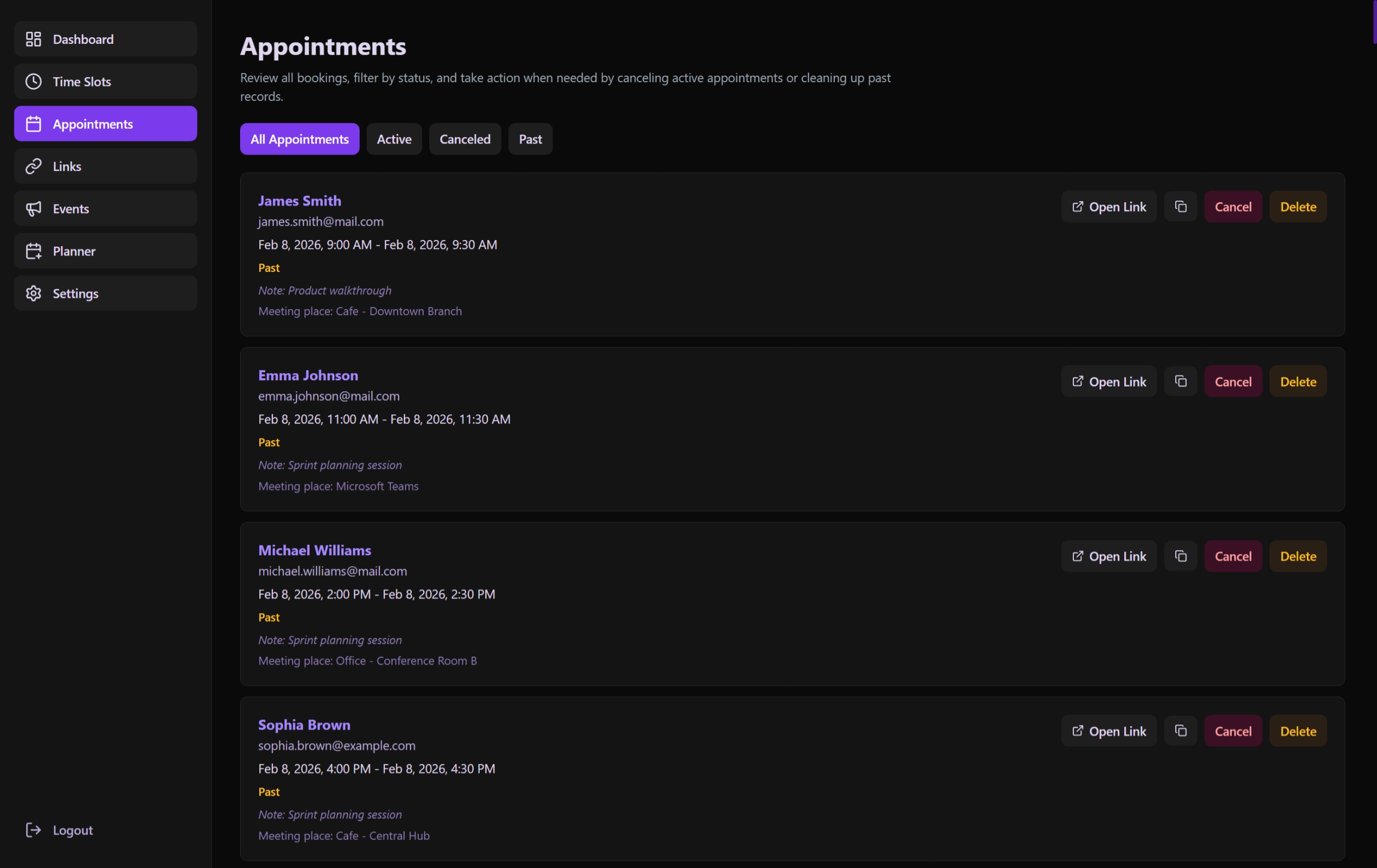 The administrative interface for managing the lifecycle of all guest bookings.
Key Features
Global Filtering & Search
The interface features a powerful, reusable filtering system (ListFiltersBar) that provides:
- Full-Text Search: Search by guest name, email, meeting place, or notes.
- Date Range Selection: Filter appointments within a specific start and end date.
- Advanced Sorting: Toggle between "Newest first" and "Oldest first" views.
- Smart Status Filters: Quick buttons for
Active,Pending Approval,Canceled,Rejected, andPaststatuses. - Pending Counter: A real-time badge on the "Pending Approval" button showing the number of appointments awaiting review.
- URL Persistence: All active filters are automatically synchronized with the URL. This allows you to refresh the page or share a specific filtered view with other administrators.
Visibility Highlights
ListFiltersFeedback: Provides immediate feedback on how many results matched the current criteria vs. the total count.- Status Badges: Appointments display colored labels for
Pending Approval,Canceled, andRejectedstates to distinguish them at a glance. - Empty States: Contextual messages and "Clear All" actions when no items match the active filters.
List Navigation
Appointments are displayed in a clean, detailed list (AppointmentsListSection):
- Guest Profiles: Displays name, email, and any custom notes.
- Automatic Formatting: Dates are localized on-the-fly based on the guest's or admin's locale.
- Direct Actions: Contextual buttons for approval, rejection, cancellation, and deletion.
Administrative Actions
| Action | Impact | Workflow |
|---|---|---|
| Approve | Changes status from pending to approved. Sends a confirmation email with ICS to guest. | Click "Approve" (only for Pending) → API Update. |
| Reject | Changes status from pending to rejected. Sends a rejection notification to the guest. | Click "Reject" → Confirm in Dialog → API Update. |
| Cancel | Marks the appointment as canceled. Sends an automated email/push to the guest. | Click "Cancel" → Confirm in Dialog → API Update. |
| Delete | Permanently removes the record from the SQLite database. | Click "Delete" → Permanent removal. |
| View Details | Opens a deep-dive view of the specific appointment. | Click the appointment row. |
Appointment Lifecycle
- Creation: A guest books through a link. If the link requires approval, status is
pending. Otherwise, it isapproved. - Moderation: Admin reviews
pendingbookings and selects Approve or Reject.- If Approved: Guest receives a calendar invite.
- If Rejected: Guest is notified, and the slot is freed up for others.
- Active: An approved appointment remains active until its end time passes.
- Completion/Cancellation: An active appointment either becomes
pastor iscanceledby the admin or guest. - Retention: Admins can eventually Delete
past,canceled, orrejectedappointments to keep the database clean.
Technical Architecture
The useAppointmentsPage Hook
This hook manages the complex state of the appointment lifecycle:
- Filtering & Search: Integrates the
useListFiltershook to provide debounced search, date range filtering, and URL state management. - API Orchestration: Handles the sequence of API calls to
api.getAppointments(),api.cancelAppointment(), andapi.deleteAppointment(). - Error Boundaries: Captures and displays API failures via Toast notifications without breaking the UI.
Data Model Integration
The page maps to the Appointment entity, ensuring that fields like start_at, end_at, and canceled_at are strictly validated and formatted for the user.