
Community Events System
Community Events are public gatherings or initiatives that rely on a crowdsourced approval model.
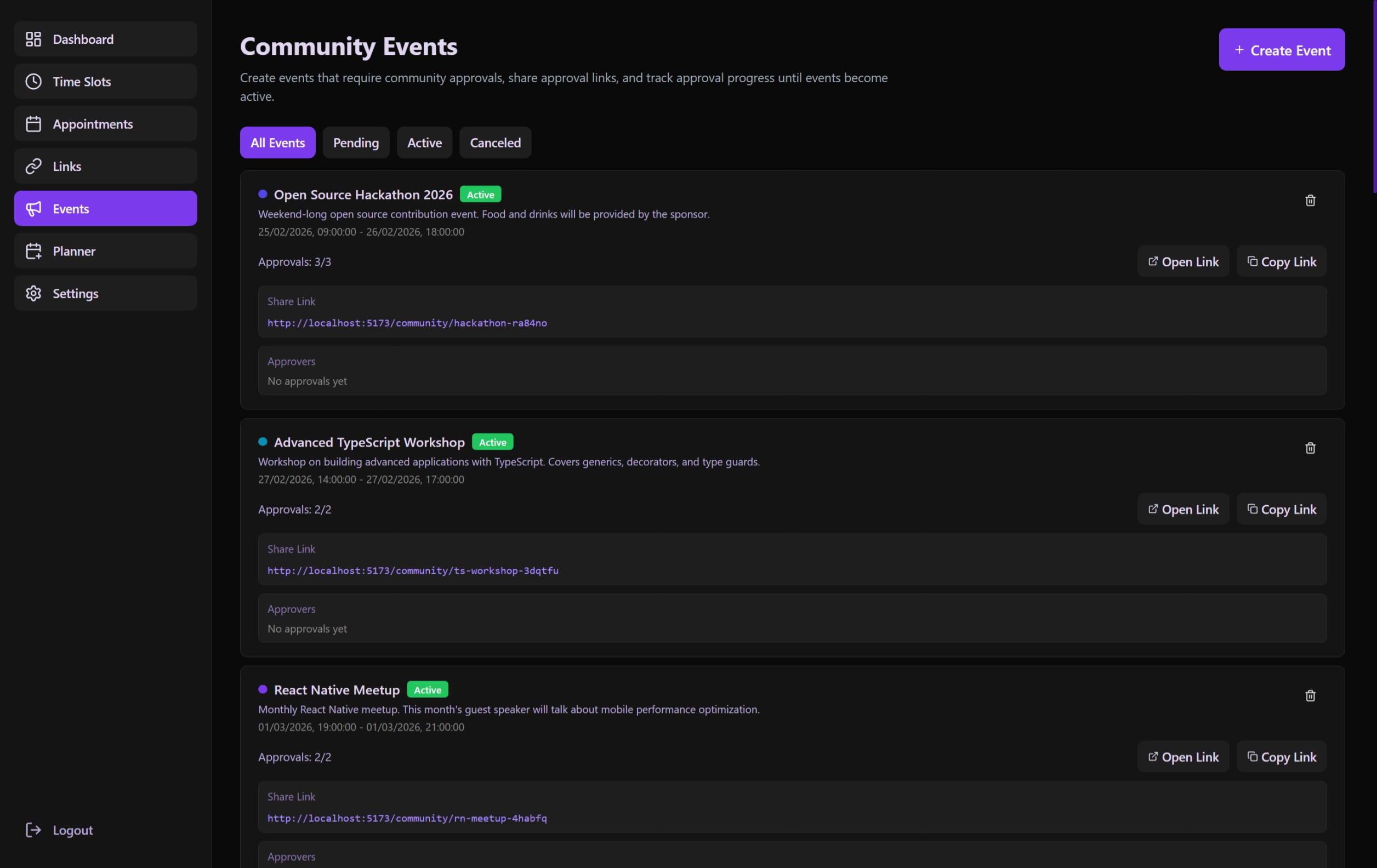 Administrative list view showing all community-proposed events and their approval status.
The Approval Workflow
- Creation: An administrator or user proposes an event.
- Pending State: The event is created with
status: pending. It is NOT yet visible on the public schedule. - Crowd Approval: A unique approval link is shared. Users enter their names and "Vouch" for the event.
- Activation: Once the
required_approvalsthreshold is met, the event status flips toapproved. - Visibility: The event now appears on the Public Calendar and the Dashboard.
Functional Components
CommunityEventsSection
- Global Filters: A standard
ListFiltersBarallowing administrators to search through event titles/descriptions, filter by date range, and sort by creation time. - Search & Sort Persistence: User search queries and sort orders are preserved in the URL.
- Event List: Shows all current proposals and their live approval count.
- Creation Form: Dedicated interface to set event title, description, time, and the number of required approvals.
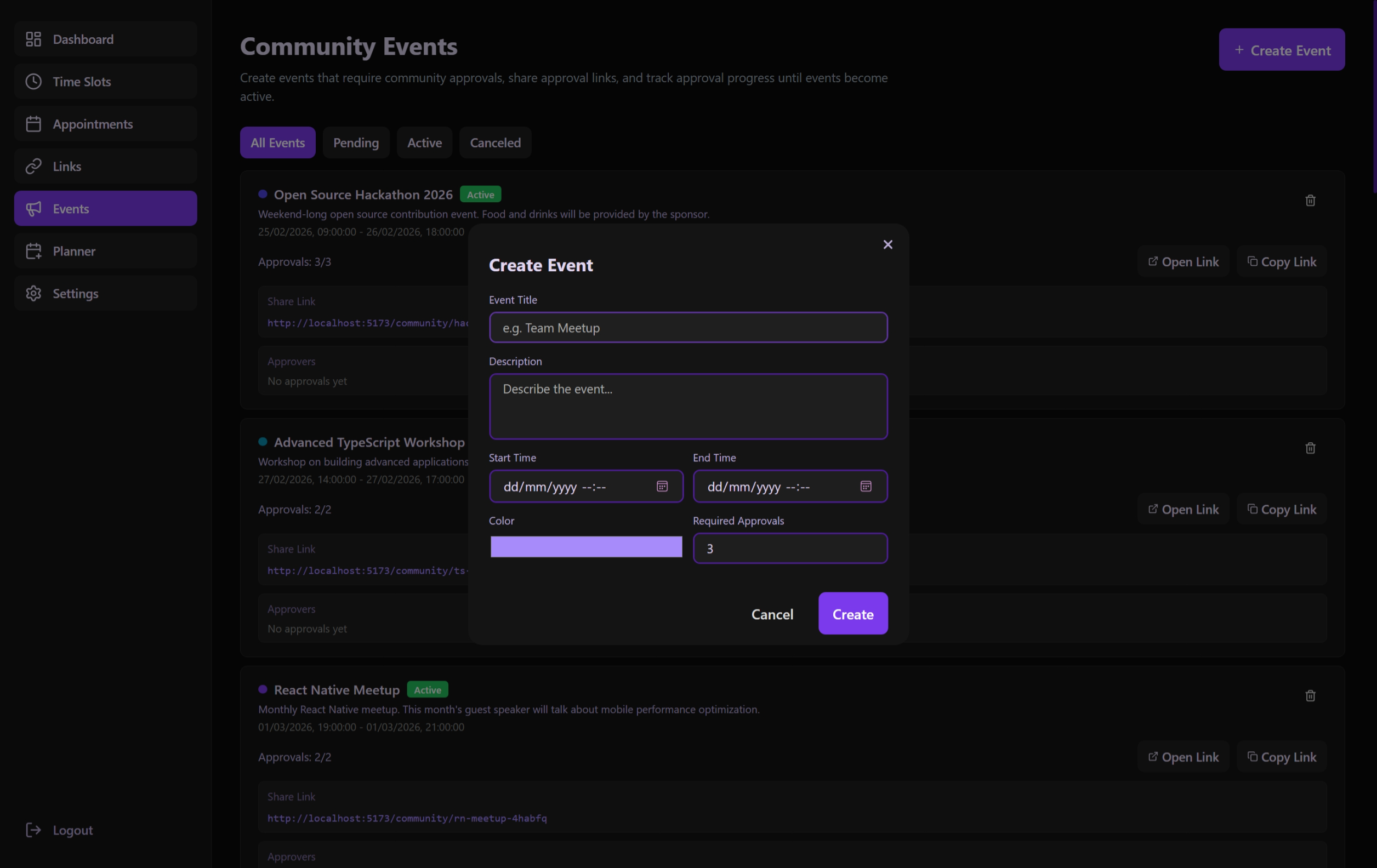 The creation form for proposing new events with customizable approval thresholds.
CommunityEventCard (Internal)
- Displays current progress (e.g., "3 of 5 approvals").
- Provides the "Copy Approval Link" action for administrators.
Technical Details
- Integrated Filtering: Uses the
useListFiltershook to manage the combined state of status filters (approval state) and active search/date parameters. - Progress Tracking: Calculates the percentage of approvals for visual progress bars.
- Status Updates: Monitors the transition from pending to approved.
- API Mapping: Uses
/api/community-eventsfor all CRUD operations.
Approval Security
While designed for simplicity, the system tracks "already approved" status at the browser level (local storage) and optionally via IP/Session on the backend to prevent duplicate voting.