
Community Event Approval Page
This specialized page is the public interface for the crowdsourced approval process. It is where "Pending" events become "Official".
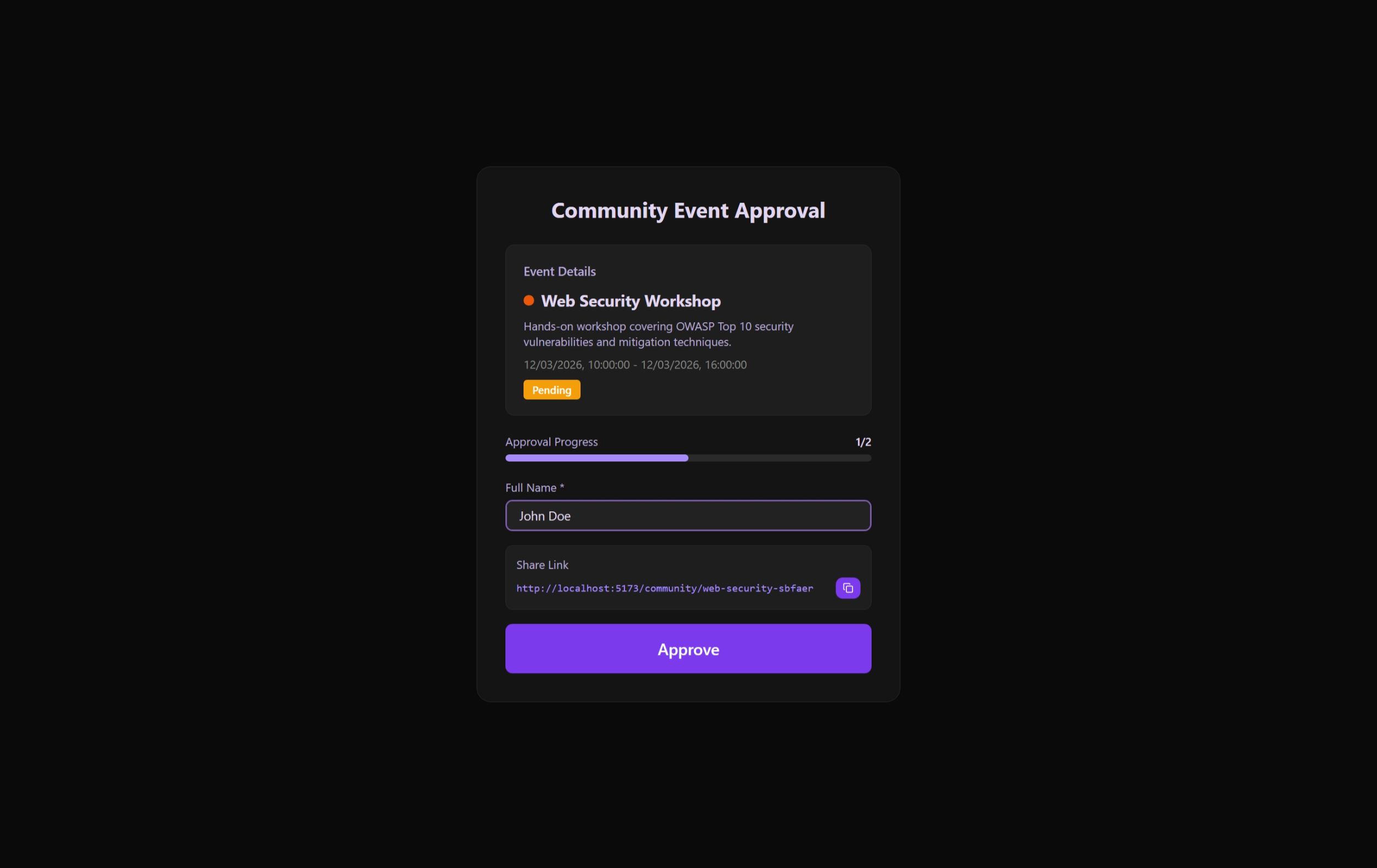 The public-facing approval interface for community crowdsourcing.
Page Anatomy
1. Header & Title
Specifically designed to welcome approvals and state the intent of the event clearly.
2. Info Card (CommunityEventInfoCard)
Shows the "Who, What, and When" of the proposed event so participants know exactly what they are approving.
3. Progress Visualization (ApprovalProgressBar)
A real-time progress bar that shows:
- Current Approvals: How many people have already voted.
- Required Target: The threshold set by the creator.
- Status Indicator: Visual color shifts as the target is approached.
User Interaction
Providing Approval
- Identity Input: Approvers enter their full name. This adds a layer of social accountability to the vote.
- Approval Button: Submits the vote to the backend.
- Post-Approval State: Once a user has voted, the interface shows a "Success" notice and disables further voting from that session.
Sharing for Momentum
Contains a Share Link Card that encourages users to copy the approval URL and share it with their network to reach the target faster.
Technical Workflow
useCommunityEventApprovalPage Hook
- Initial Load: Fetches the specific event data using the URL slug.
- Approval Logic: Orchestrates the POST request to the approval endpoint.
- Validation:
- Ensures names are not empty.
- Checks local storage to see if the user has already approved this specific event (
alreadyApprovedLocal).
Real-time Feedback
Uses ToasterContainer to notify users of successful approvals or API submission errors (e.g., "Event already approved" or "Network error").